
Track calories and macros with AI.
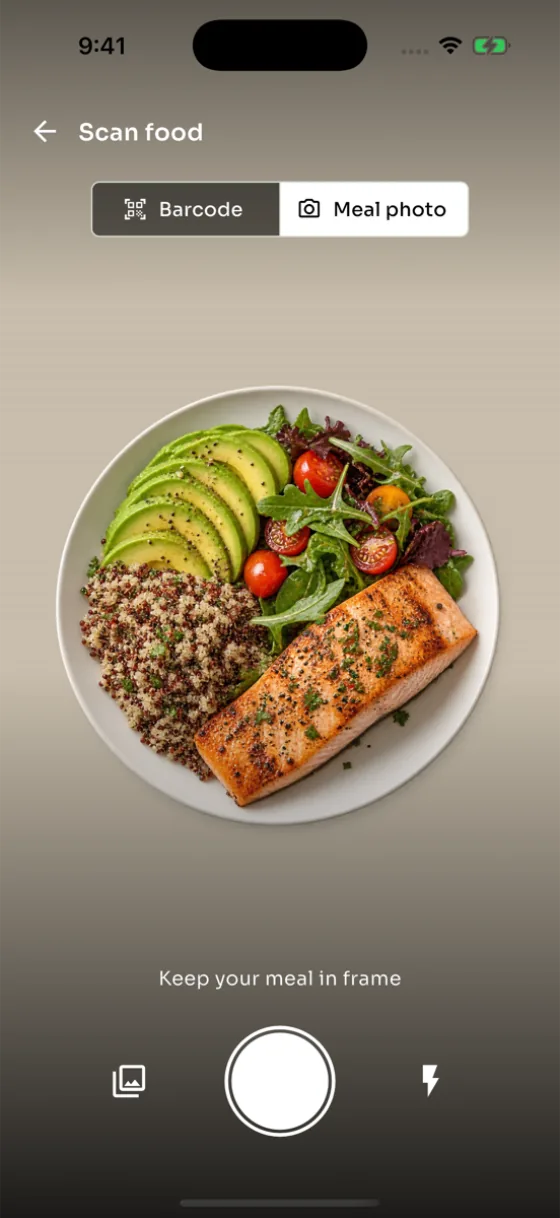
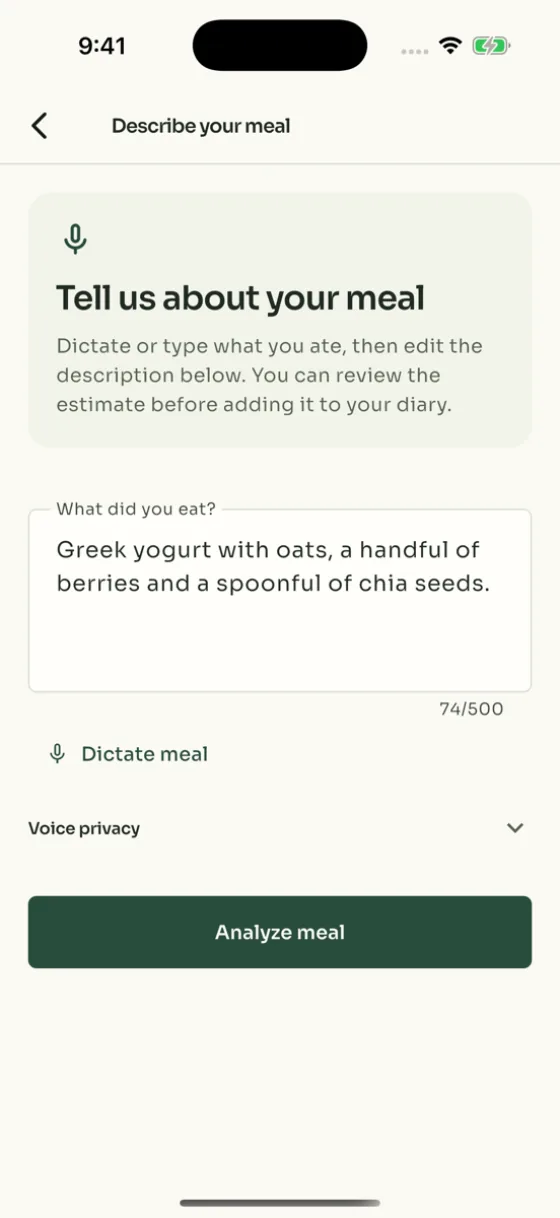
Take a photo of your meal or describe it by voice or text. Caloist estimates the calories and macros—protein, carbs, and fat—so you can review the details and save your meal.

Log your meals and plan your week
Keep track of what you eat, save meals you enjoy, and decide what to cook next.
A photo calorie counter with editable estimates
Take a meal photo to get an AI estimate of its calories and macros. Check the foods and portions, then adjust anything that needs correcting before you save.
Plan meals with recipes and a grocery list
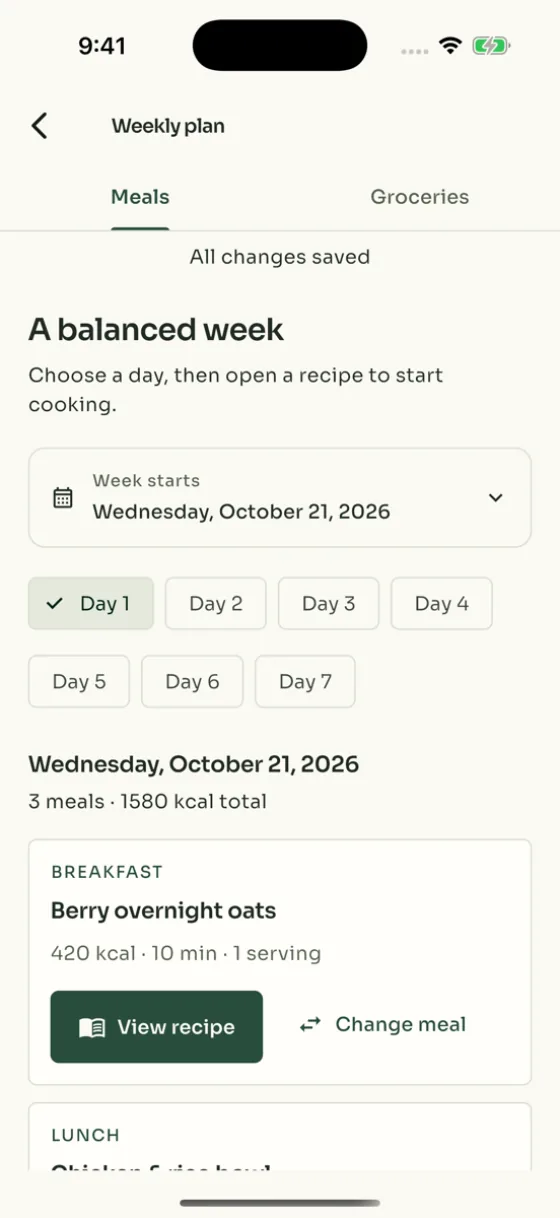
Choose meals for the week and bring their ingredients together in a grocery list. Save recipes with serving sizes and macros, and change your plan when you need to.
Log your favourite meals again
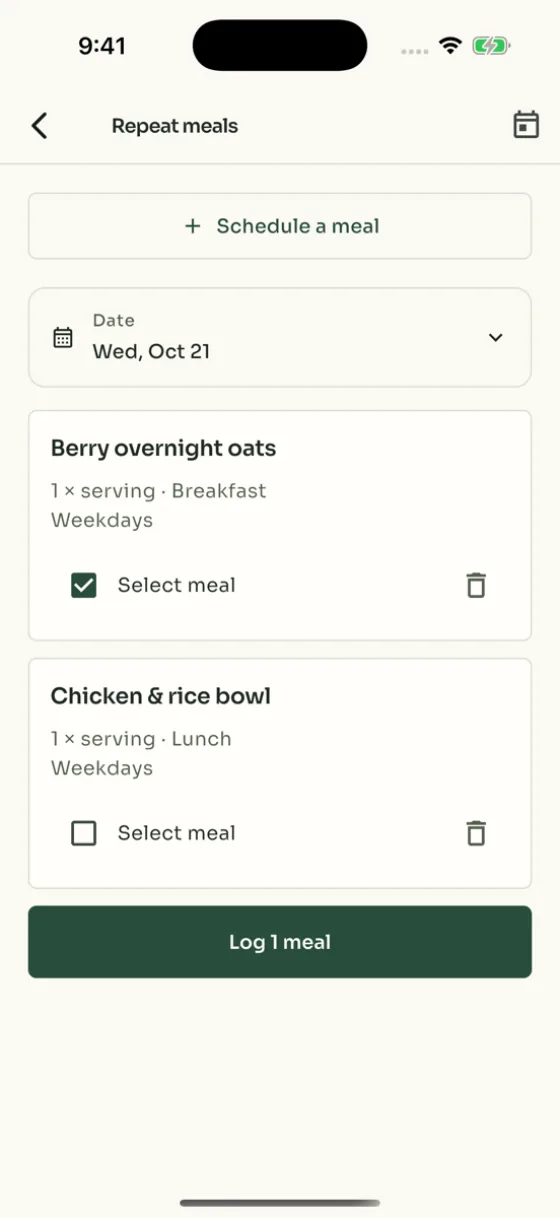
Add saved recipes, recent foods, or favourites to your food diary without starting from scratch. Set up repeat meals for foods you eat regularly.
Water and weight tracking
Record your water intake and weight, set goals, and see your progress in charts. Add reminders for meals, water, and weigh-ins.
How to track calories and macros with Caloist
From logging a meal to checking your daily totals, here’s how Caloist works.
1. Log your meal
Take a photo or describe what you ate by voice or text. You can also scan a barcode or search the food database.
2. Review your estimate
Check the foods and portion sizes. If you use AI logging, review the nutrition estimate and make any corrections before saving.
3. See your daily totals
See your calories, protein, carbs, and fat for the day. Open your weekly review to see your logging patterns and average nutrition totals.
What is Caloist?
Caloist is an AI calorie and macro tracker for iPhone and iPad. It helps you log meals by photo, voice, or text, review nutrition estimates, save recipes, and plan meals for the week.
How does the photo calorie counter work?
Take a photo of your meal. Caloist uses AI to identify foods and estimate portions, calories, and macros. Review the estimate, make any corrections, and save the meal to your diary. A photo cannot show every ingredient or exact portion size, so the result may need adjusting.
Can I track macros as well as calories?
Yes. Macros are protein, carbohydrates, and fat. Caloist tracks all three alongside calories, so you can see the nutrition in each meal and your totals for the day.
Can I log meals by voice or text?
Yes. Type or dictate what you ate, including portion sizes when you can. Caloist uses your description to estimate the meal’s nutrition. Review the foods and quantities before saving.
Can I edit AI nutrition estimates?
Yes. You can change the foods, portion sizes, and nutrition details before saving a meal. AI estimates may miss ingredients or misjudge portions, so check that the result matches what you ate.
What can I do with meal plans and recipes?
Plan meals for the week and create a grocery list from their ingredients. Save recipes with instructions, serving sizes, and macros, then log a serving in your food diary.
What does the weekly review show?
It shows how consistently you logged meals and your average nutrition totals for the week. The review is based on the meals you recorded, so missing entries can affect the picture.
Does Caloist track water and weight?
Yes. Record your water intake and weight, set goals, and view your history in charts. You can also set reminders to log meals, drink water, or record your weight.
Is Caloist available for iPhone and iPad?
Yes. Download Caloist from the App Store for iPhone and iPad. The listing includes device requirements and details about in-app purchases.
Start with your next meal
Download Caloist for iPhone or iPad to track your meals, check your macros, and plan what to eat next.
AI meal logging, recipes, meal planning, repeat meals and personalized weekly reviews require a Caloist Pro subscription. Barcode scanning also requires Pro.